Category: HW/SW Systems

Hardware Software Integrated Systems

  • DIY Thermostat (Full Stack)

    DIY Thermostat (Full Stack)

    Publicly available site:
    https://reazwrahman.github.io/thermostat_frontend/

    Hardware Setup for some perspective: https://reazwrahman.github.io/thermostat_frontend/background_pages/hardware_page/index.html   

    Github Repository for frontend component: https://github.com/reazwrahman/thermostat_frontend/tree/main 

    Github Repository for backend component: https://github.com/reazwrahman/Thermostat_Backend_API  

    Github Repository for simulation component: https://github.com/reazwrahman/SmartThermostat_Simulation 

    Project Description

    In my quest to create a comfortable living environment during the harsh New York winters, I embarked on a project to build a smart heater controller. The heating system in my old single-family house has always been unpredictable, swinging between unbearably hot during the day and freezing cold at night. Manually turning my electric heater on and off to maintain a comfortable temperature became a tedious routine, especially waking up in the middle of the night to adjust it. To solve this, I decided to automate the temperature control in my room using a blend of modern technology and custom-built components.

    Project Components: Frontend, Backend, and Two Modes of Operation

    My solution is composed of three key components: a frontend user interface, a backend API, and two distinct modes of operation—simulation and target.

    1. Frontend: User Interface Built with Modern Web Technologies

    To control and monitor the heater system, I built a user-friendly interface from scratch using HTML, CSS, JavaScript, and React. This frontend acts as the control panel for my smart heater, allowing me to set temperature preferences, switch between modes, and view real-time data. The frontend communicates directly with the backend API, sending commands and receiving updates to manage the heater effectively.

    2. Backend API: Python and Flask for Flexibility and Control

    The backend of the system is built using Python and the Flask framework, which provides a robust and flexible platform for handling the heater control logic. The backend API serves as the brain of the operation, processing inputs from the frontend and managing the heater’s state. It supports two different modes of operation:

    • Simulation Mode: In this mode, the system simulates the entire setup on a computer without needing physical hardware. I created virtual components, including a simulated temperature sensor and a power relay, to mimic real-world conditions. This mode generates logs and test data automatically during runtime, allowing me to validate and fine-tune the system’s behavior without risking actual hardware.
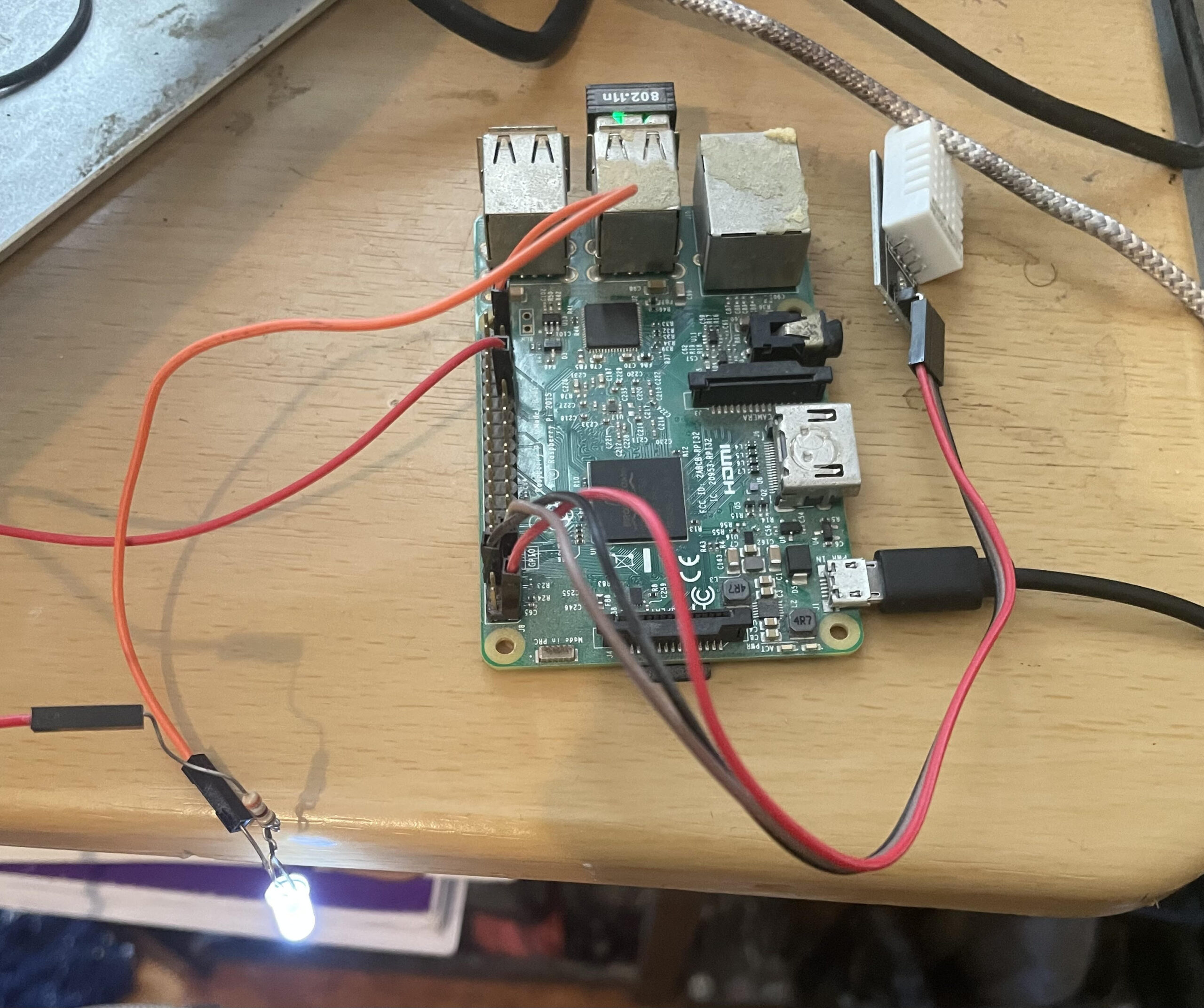
    • Target Mode: This is the production-ready setup where real hardware components are involved. In target mode, the system uses a Raspberry Pi microcontroller connected to an actual temperature sensor and a 120-volt power relay. These components control an electric heater or air conditioner, depending on the temperature requirements. The Raspberry Pi handles the processing and communicates with the backend API to ensure accurate temperature regulation in real-time.

    Conclusion: A Smarter, More Comfortable Living Space

    With these components, my smart heater controller project effectively automates the heating process in my room, adapting to changing temperatures throughout the day and night without requiring manual intervention. Whether running in simulation mode for testing or target mode for real-world application, this system provides a reliable and flexible solution to the challenges of living with an outdated heating system. By integrating modern web technologies with practical hardware solutions, I’ve created a comfortable and efficient living space that keeps me warm on even the coldest New York nights.


    A sample page from the website:

  • Smart Lamp 2.0 (Radio Freq. Monitoring via LABVIEW VI)

    Smart Lamp 2.0 (Radio Freq. Monitoring via LABVIEW VI)


    LABVIEW User Interface   

    The user interface above shows the bidirectional capability of the smart lamp. While the toggle switch on the left can be controlled by the user to remotely turn the lamp on and off, the indicator light on the right part of the UI shows the current status of occupancy. If the room containing the lamp is occupied, the motion sensor will activate and send a signal via the radio channel. The receiver radio module will then receive and process the signal so that the indicator light goes on. This UI offers the user to either control the lamp or monitor the room containing the lamp- all remotely via radio frequency.

    The video below shows the control of a 120V lightbulb using the native LabVIEW VI application.

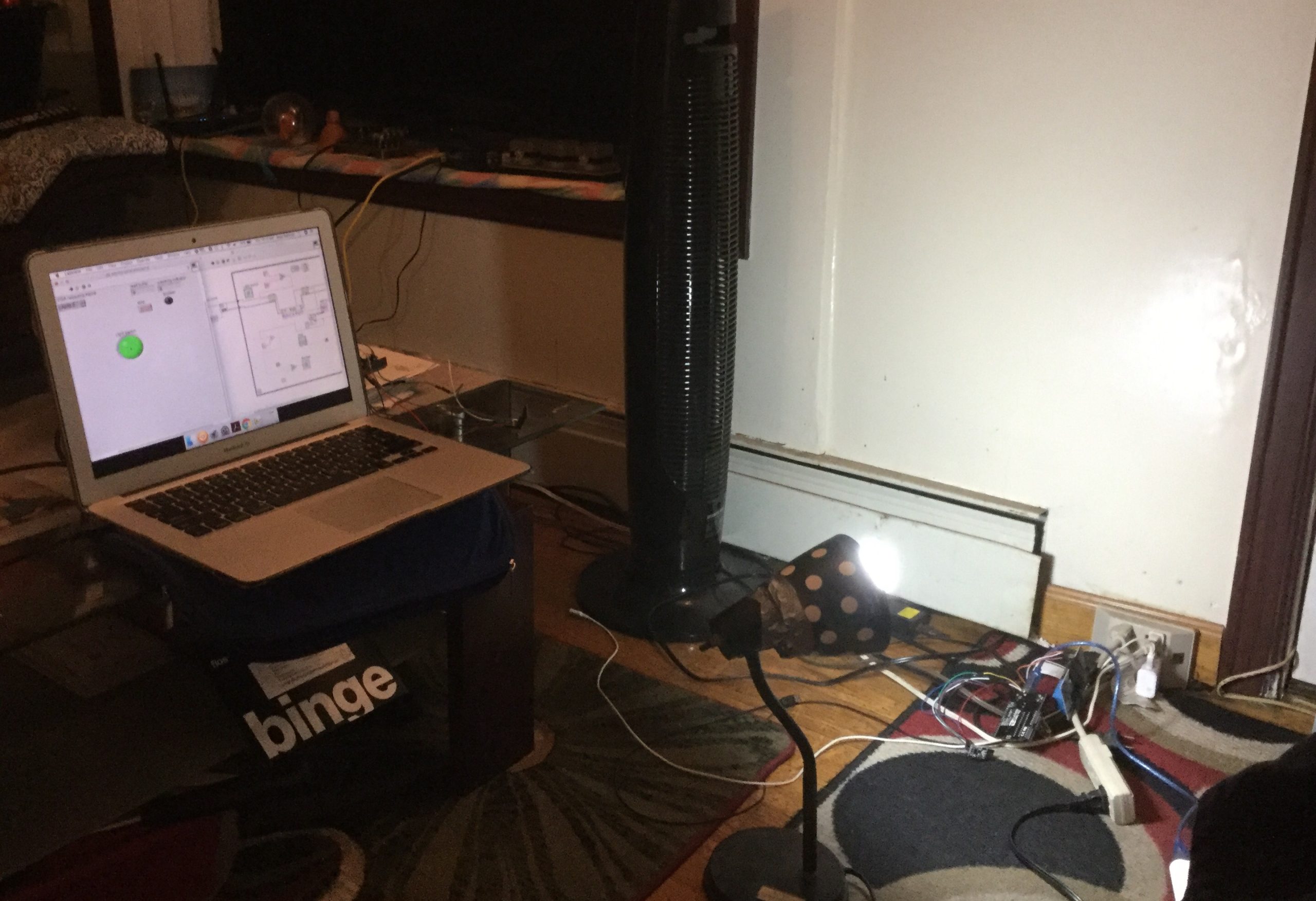
    A few development pictures are shown below including the LabVIEW application with the logic diagram side by side.

    LabVIEW App with logic circuit side by side


  • Transformable UAV Project at Texas A&M University

    Transformable UAV Project at Texas A&M University

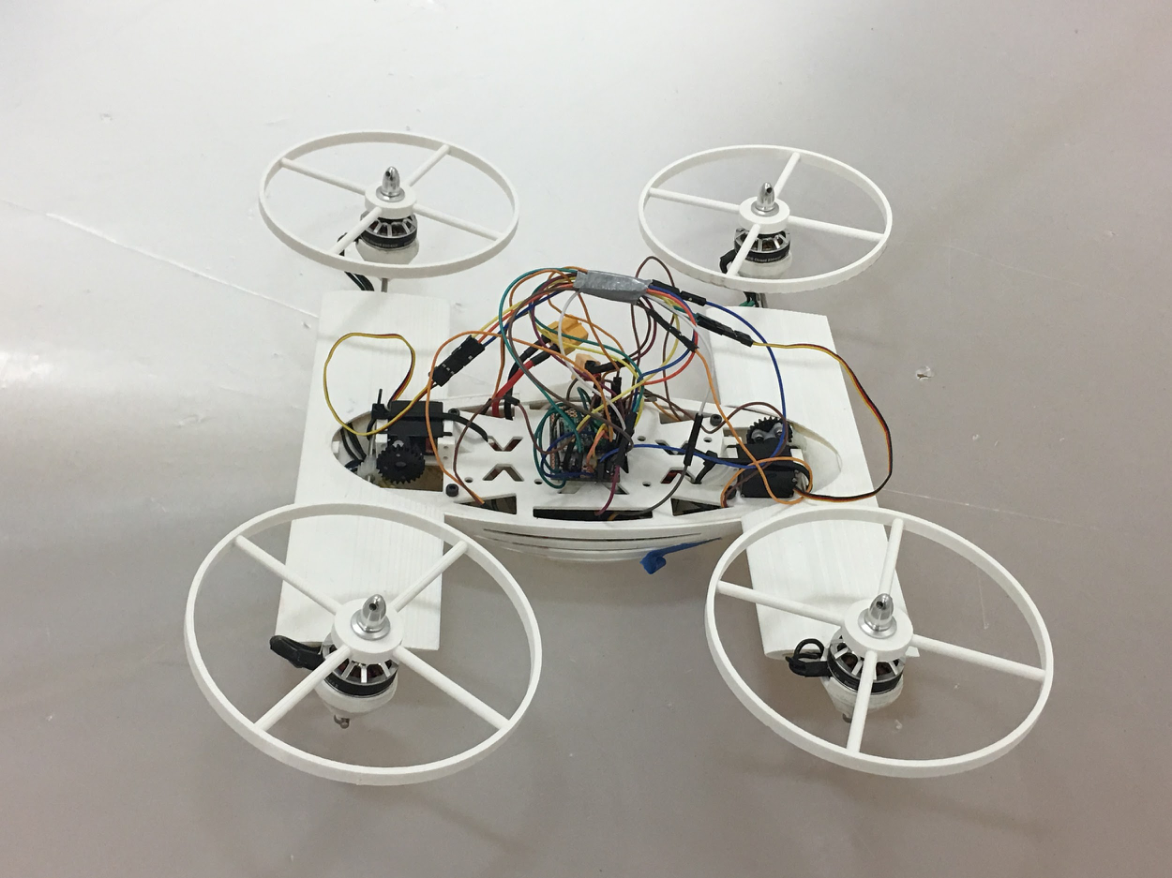
    In the Advanced Vertical Flight Laboratory of Texas A&M University, I worked on developing a transformable quad-tilt rotor vehicle during my summer of 2018. This vehicle has four rotors that can be tilted during flight and after landing. Once the four rotors tilt after landing, it virtually becomes a land rover and that’s why it’s called a two-terrain transformable vehicle.

    I worked on all the hardware components of this vehicle from the scratch. I also fully developed and tested an embedded C code and a LabVIEW VI code to remotely transform the vehicle from one mode to another. By the end of the summer, I was able to show that my hardware and software combinations are fully functional and I had just enough time to assemble the vehicle and operate it in the land mode.

    Drive Mode Video: 


    Flight Mode Video:   


    Image: Fully assembled vehicle in both land mode and flight mode orientation


    DEVELOPMENT STAGES 

    Transformation between modes using LabVIEW (my changes are highlighted)  
    Testing Full Drive mode on my bench-top setup using RC device
    Power and Control Circuit Testing
    Flight Mode Activated Remotely with a switch 


    Drive Mode enabled remotely with a LabVIEW switch  
  • Smart Home Security (Personal Project)

    Smart Home Security (Personal Project)

    Project Home Security is a hardware and software combination project that detects the presence of an intruder outside the front door of a house and immediately sends an email alerting the user about the activity with a picture of the person standing outside.   

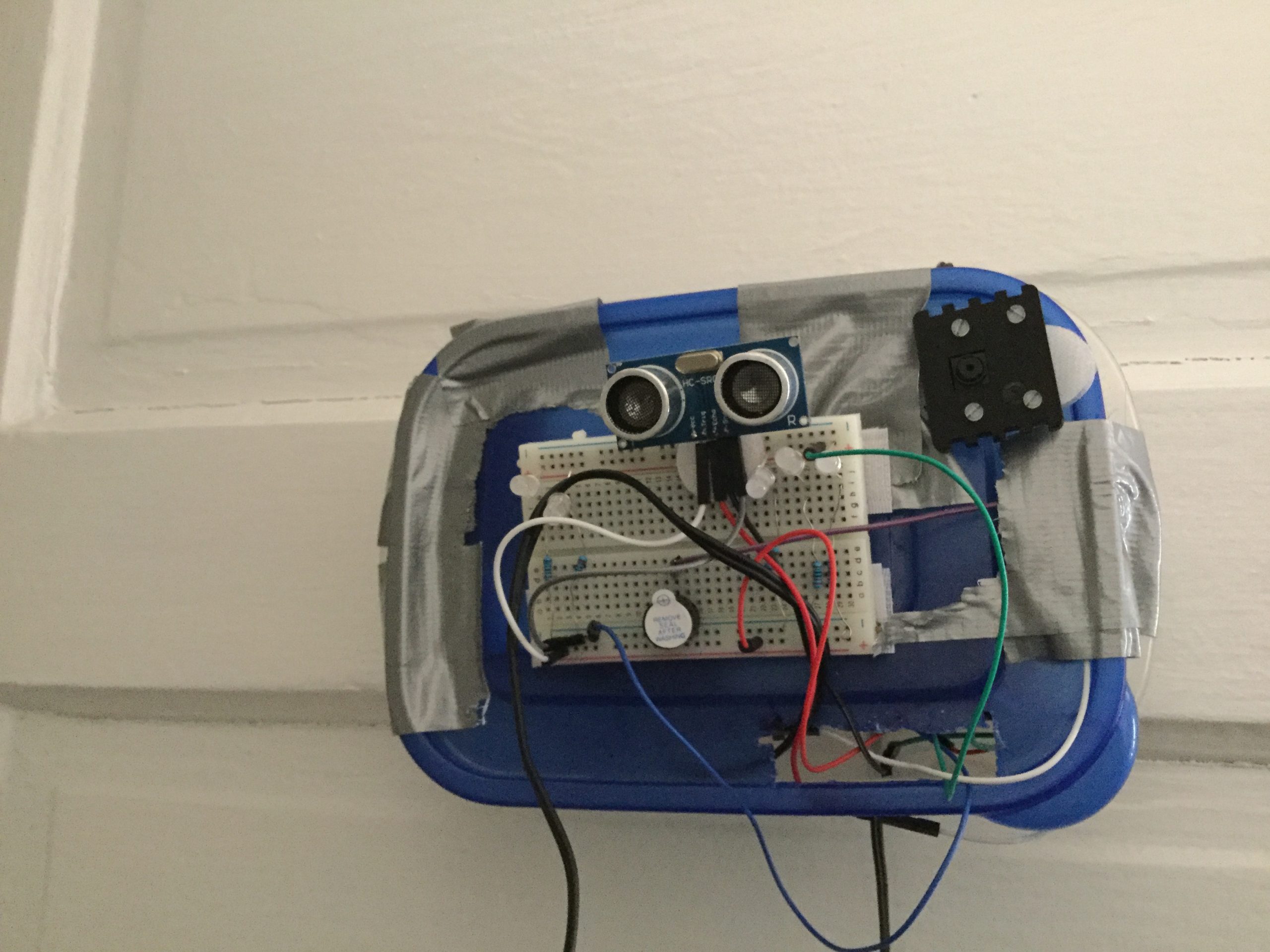
    Image: Ultrasonic sensor placed outside the door to detect activity 

    Image: Screenshot of the email sent by the server with a message alerting the user, with a picture taken by the camera


    Image: Control System inside the house, near the front door (the TV monitor could be used for surveillance purposes)

    This project uses an ultrasonic sensor, wires, Arduino, raspberry pi, ethernet cable and an interface for Pi/Arduino for initial setup. The ultrasonic sensor may be replaced by a body motion sensor (for shorter range setup), which actually was used for this project initially. However, as the connecting wires get longer- the body motion sensor starts acting in unanticipated ways.  

    Image: I added a camera interface for taking picture of the intruder  

    The Arduino board establishes a connection with the ultrasonic sensor. As the distance read by the sensor gets below a certain threshold, it prints a message which is then received by the raspberry pi connected to the Arduino via a USB serial port. 

    Image: I added LEDs for taking picture at night  

    As the raspberry receives the message, an SSMTP messaging protocol relays that message to an email address. The user can add that email account to their existing Gmail app and receive notifications about the front door activity in real time. 


    Here are some pictures that were taken during the development stage of the product:


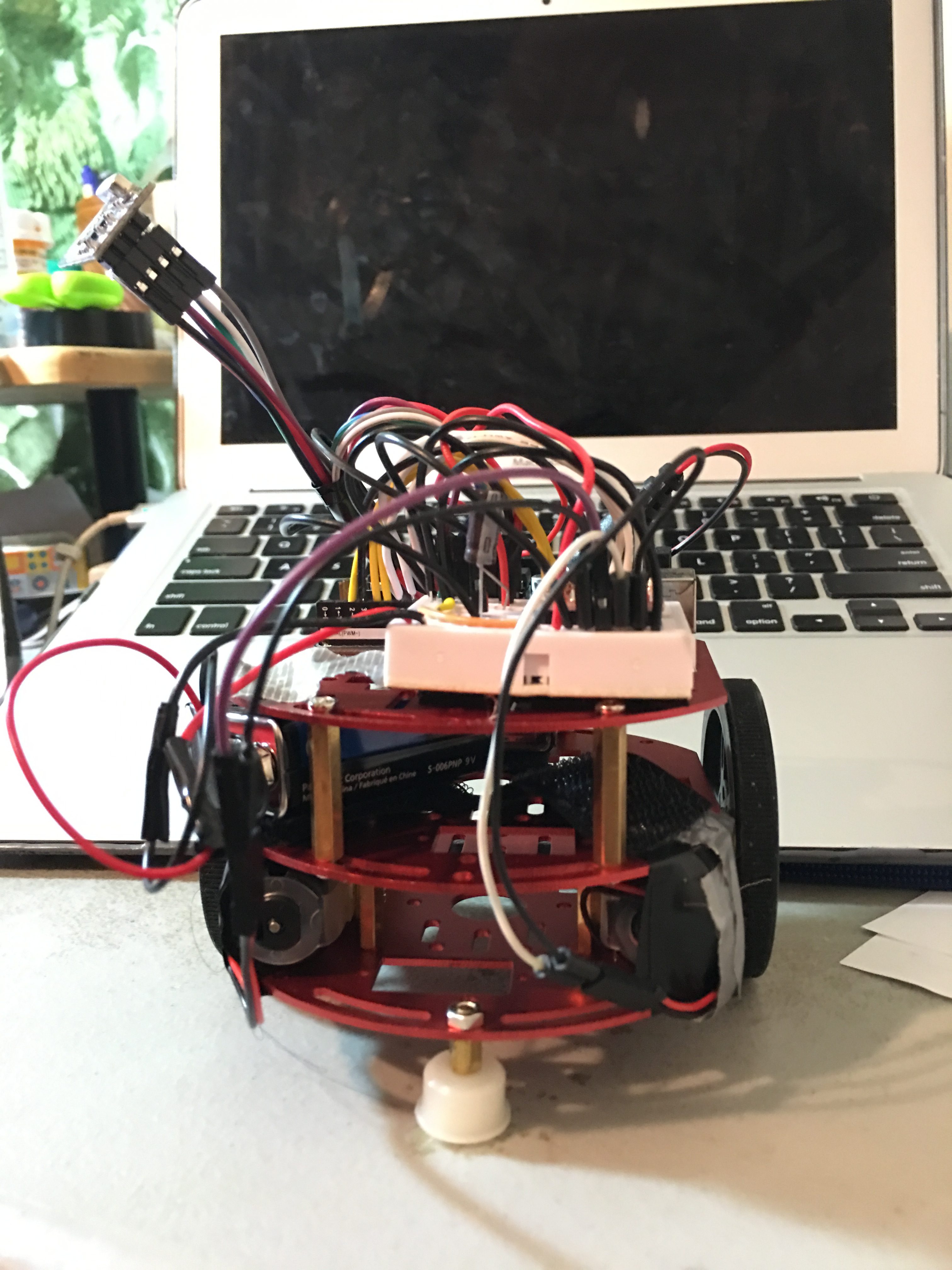
  • Swarm Robotics via RF communication

    Swarm Robotics via RF communication

    The Video below shows wireless communication between two computers. The one on the right is the user interface that will be used to operate the swarms. The computer on the left is the receiver that shows the message received.


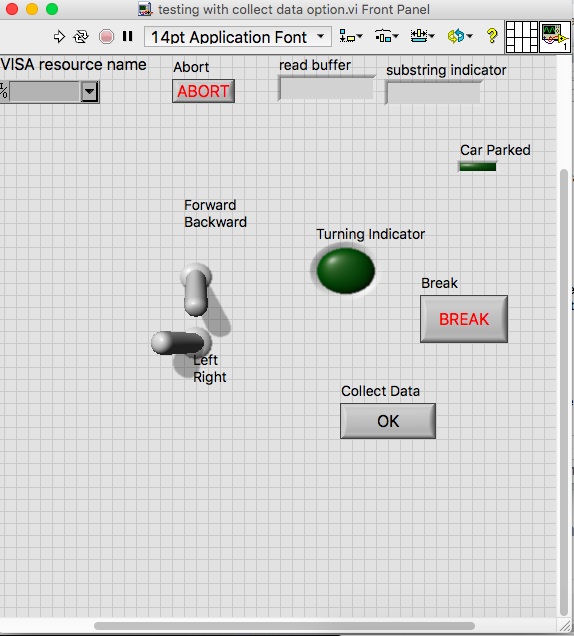
    I also created a user interface to remotely control the swarms using RF.


    LabVIEW UI   

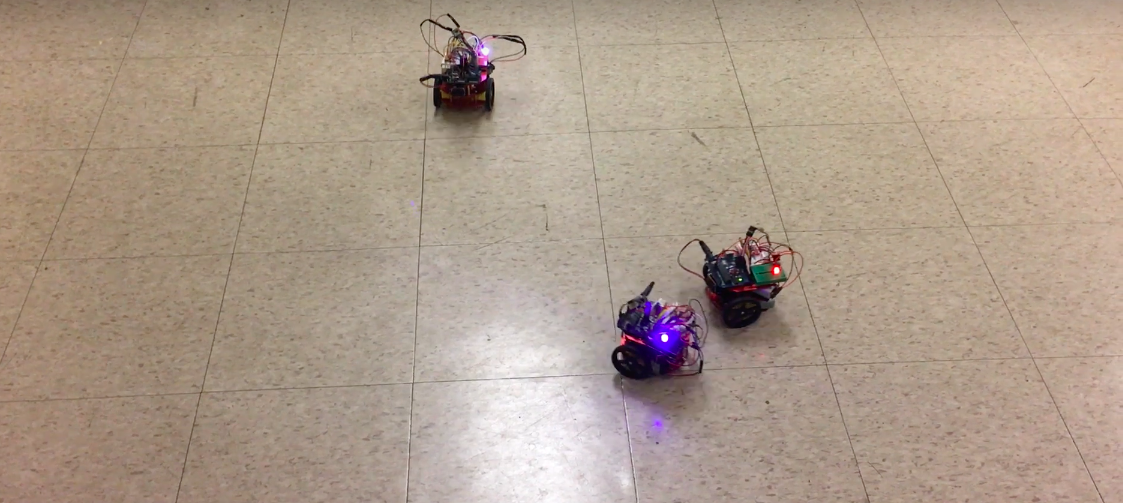
    These swarm robots are capable of collecting data from the field of operation using different sensors and send these data back to the master device remotely in real time.

  • Home Automation – Smart Lamp

    Home Automation – Smart Lamp

    This project is intended to automate the lighting system in my home. In this project, I have turned a regular stand lamp into a smart lamp that automatically turns on when it detects any human motion. The hardware of this project could be easily applied to turn other house appliances into smart devices. The application of this project includes saving on electricity costs, conserving energy and more efficient housing technology utilizing automation.

    I used a 5V relay to control 120V power supply from a wall outlet. I have used an Arduino Uno as a microcontroller and a PIR motion sensor. I have programmed the power outlet with the Arduino which means any other appliances connected to this outlet can be controlled or programmed.

    Smart Lamp that automatically turns on by detecting Human Movement:  


    Development Pictures: 

    Smart Lamp with PIR sensor